
Blog

  • How to Run a Small-Team CRM Review for Pipeline Handoff Between Reps

    How to Run a Small-Team CRM Review for Pipeline Handoff Between Reps

    A small-team CRM review should make the next decision visible. For pipeline handoff between reps, record the owner, the current evidence, and one dated next action instead of adding fields that nobody reviews.

    Outcome and scope

    This playbook is for a 5-to-50-person sales team reviewing open work. It improves visibility and handoffs; it does not predict revenue or guarantee a customer response.

    Workflow map
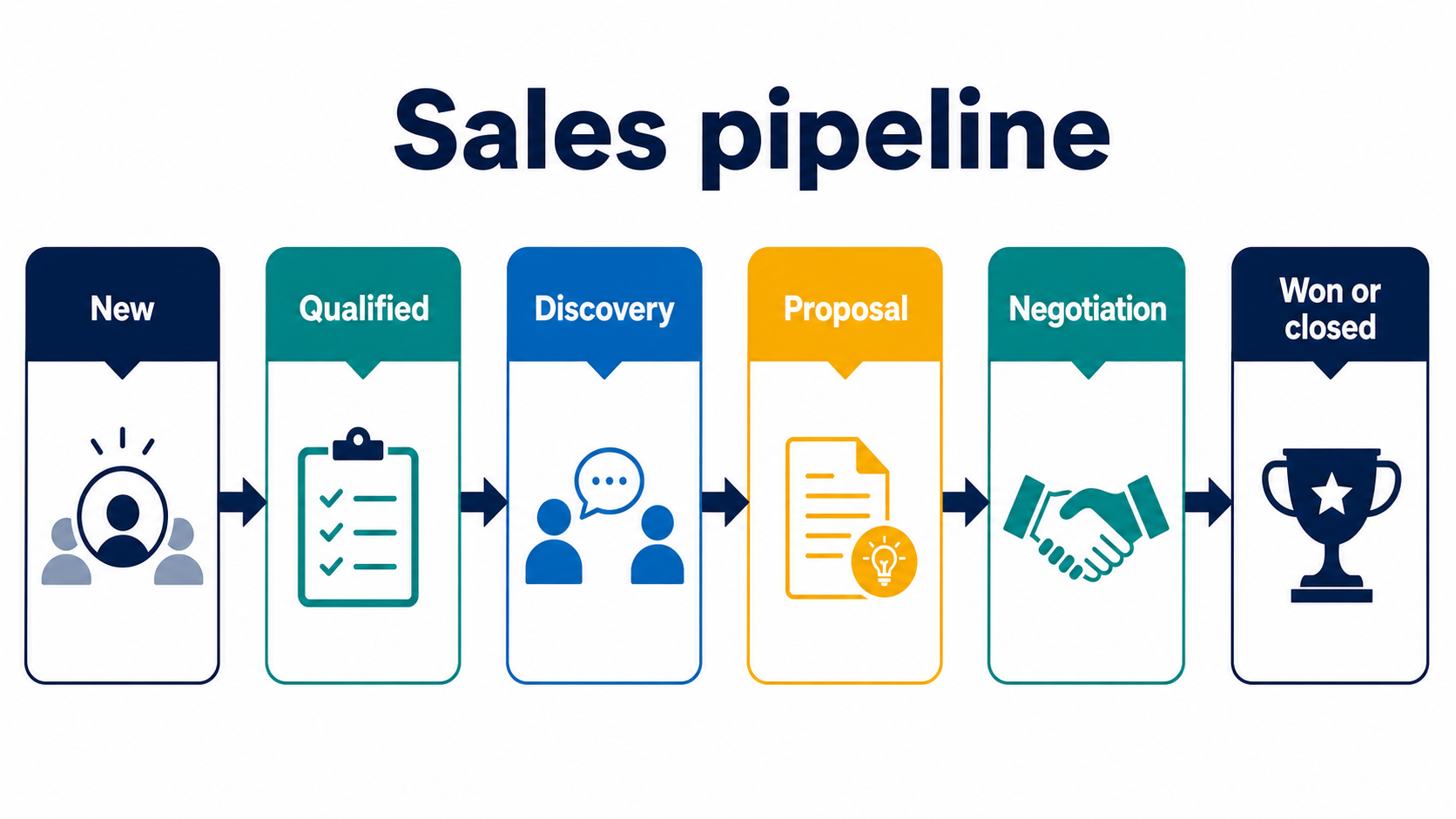
    Small-team sales pipeline
    1. Prepare: filter records that need a decision.
    2. Read: check the latest meaningful activity and customer evidence.
    3. Decide: progress, reschedule, follow up once, or close with a reason.
    4. Assign: give the next action one owner and a due date.

    Setup steps
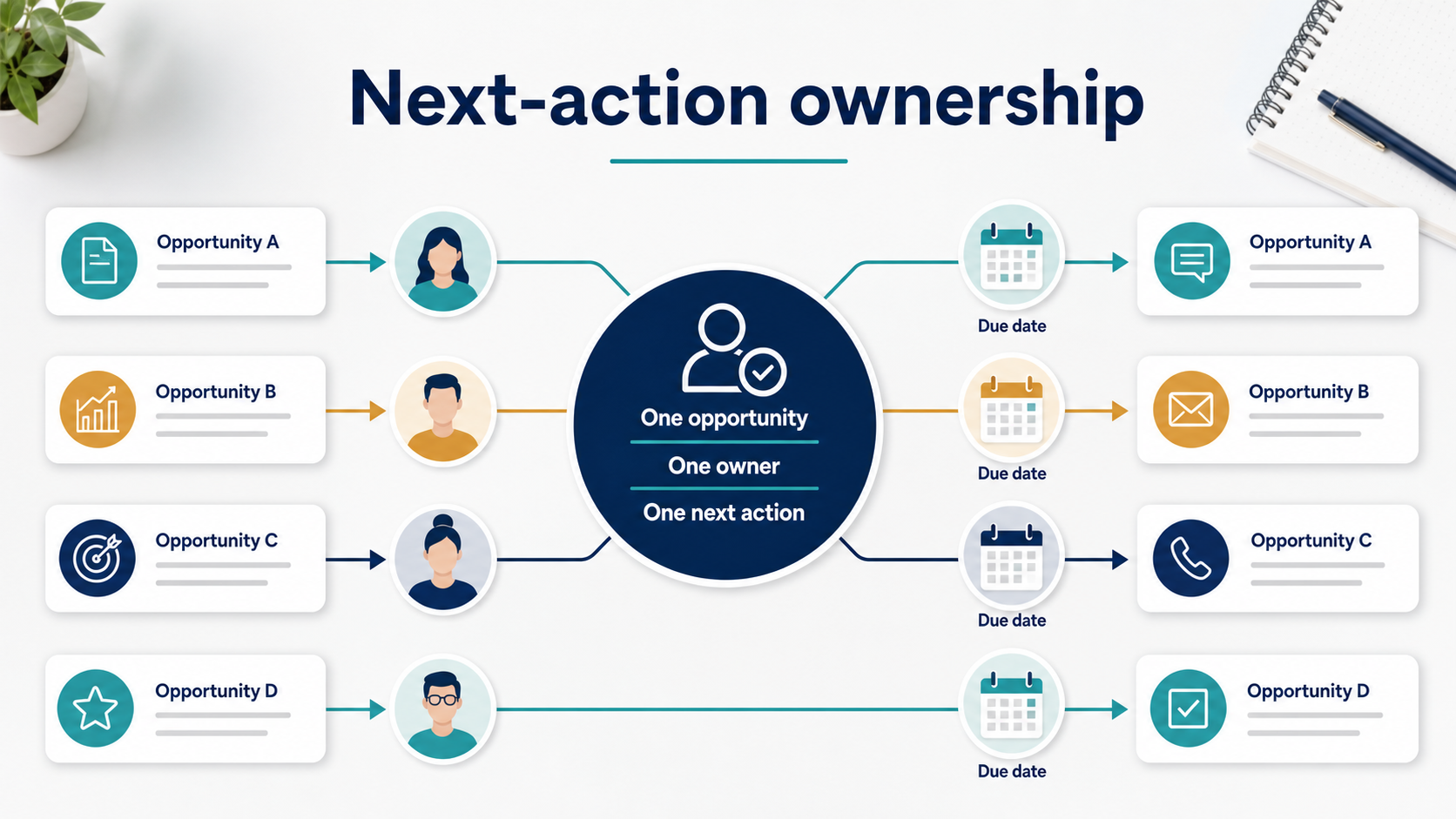
    Next-action ownership
    1. Define the decision represented by each stage.
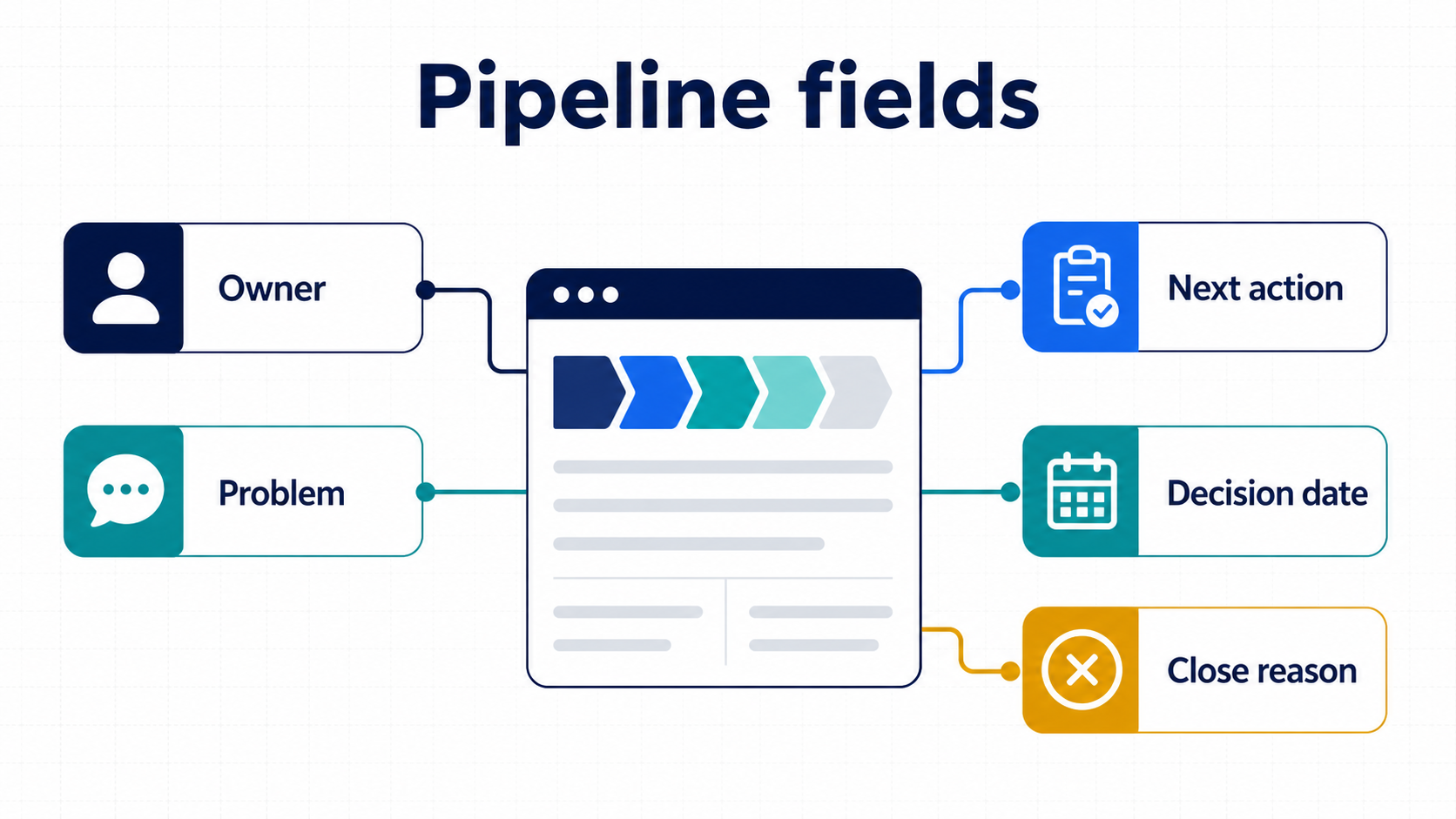
    2. Make owner, stage, last activity, next action, and due date visible.
    3. Use one standard format for close reasons and review dates.
    4. Keep exceptions as notes rather than silently changing history.

    Example fields or pipeline table

    Item Example Review question
    Owner Named teammate Is accountability unambiguous?
    Current evidence Last customer-facing action What fact supports the stage?
    Next action One concrete action by Friday Can one person complete it?
    Review outcome Keep, move, reschedule, or close What decision was made?

    Failure modes

    • Using a forecast number as a substitute for evidence.
    • Leaving an opportunity assigned but without an accepted next action.
    • Changing stages because time passed rather than because evidence changed.
    • Deleting old activity instead of preserving context.

    Metrics to review

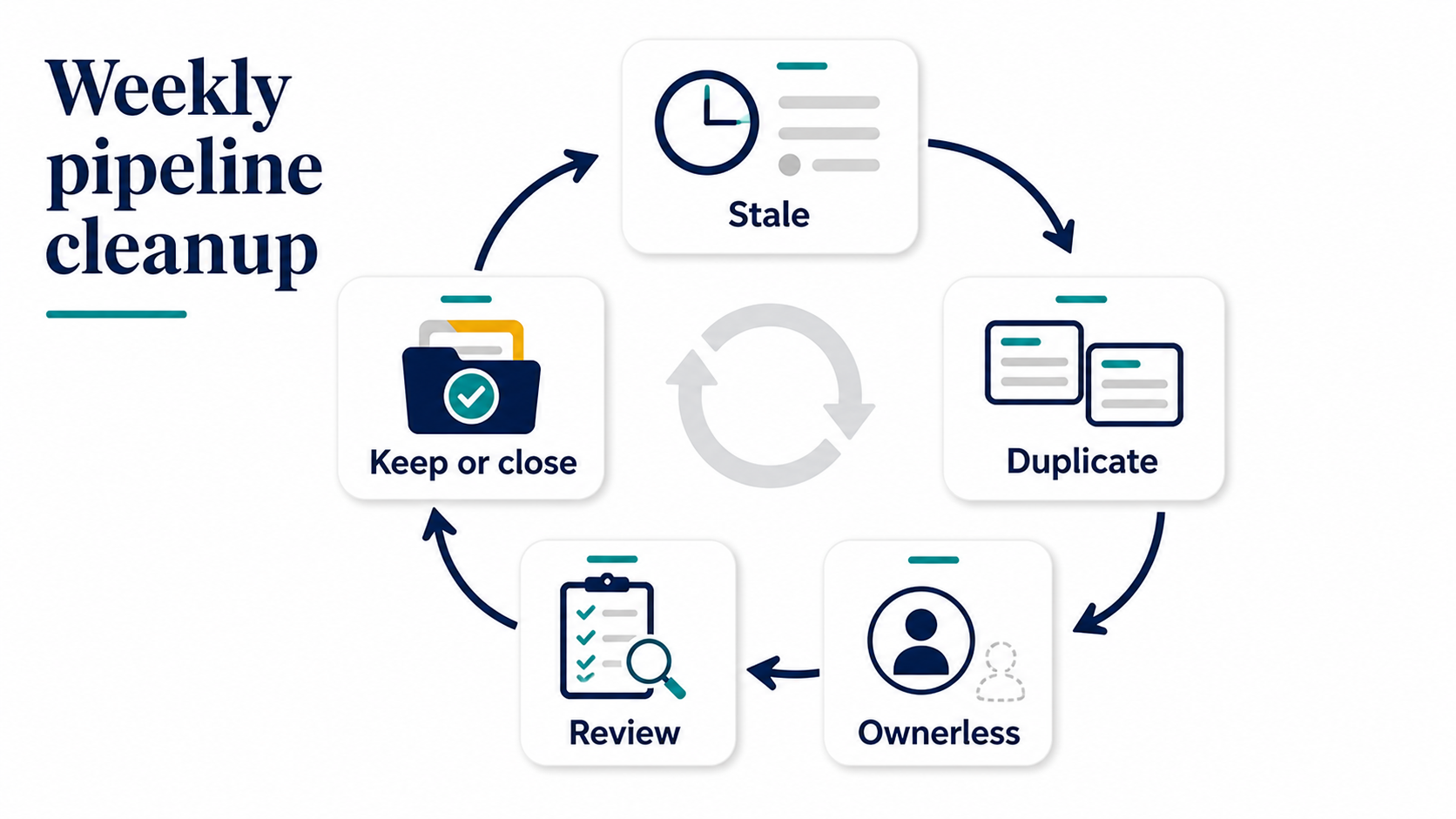
    Review open records without a dated next action, overdue actions, stage aging, response time, and close reasons. Keep process measures separate from revenue assumptions.

    FAQ

    How many fields are enough?

    Start with owner, stage, last meaningful activity, next action, and due date. Add a field only when it changes a decision.

    Should every stale record be closed?

    No. Check the customer’s stated timing and record a reason before closing or rescheduling.

    What if the owner is absent?

    Assign a temporary owner and record the handoff so work does not remain unowned.
    Sources

  • How to Run a Small-Team CRM Review for Inbound Lead Qualification

    How to Run a Small-Team CRM Review for Inbound Lead Qualification

    A small-team CRM review should make the next decision visible. For inbound lead qualification, record the owner, the current evidence, and one dated next action instead of adding fields that nobody reviews.

    Outcome and scope

    This playbook is for a 5-to-50-person sales team reviewing open work. It improves visibility and handoffs; it does not predict revenue or guarantee a customer response.

    Workflow map

    Small-team sales pipeline
    1. Prepare: filter records that need a decision.
    2. Read: check the latest meaningful activity and customer evidence.
    3. Decide: progress, reschedule, follow up once, or close with a reason.
    4. Assign: give the next action one owner and a due date.

    Setup steps

    Next-action ownership
    1. Define the decision represented by each stage.
    2. Make owner, stage, last activity, next action, and due date visible.
    3. Use one standard format for close reasons and review dates.
    4. Keep exceptions as notes rather than silently changing history.

    Example fields or pipeline table

    Item Example Review question
    Owner Named teammate Is accountability unambiguous?
    Current evidence Last customer-facing action What fact supports the stage?
    Next action One concrete action by Friday Can one person complete it?
    Review outcome Keep, move, reschedule, or close What decision was made?

    Failure modes

    • Using a forecast number as a substitute for evidence.
    • Leaving an opportunity assigned but without an accepted next action.
    • Changing stages because time passed rather than because evidence changed.
    • Deleting old activity instead of preserving context.

    Metrics to review

    Review open records without a dated next action, overdue actions, stage aging, response time, and close reasons. Keep process measures separate from revenue assumptions.

    FAQ

    How many fields are enough?

    Start with owner, stage, last meaningful activity, next action, and due date. Add a field only when it changes a decision.

    Should every stale record be closed?

    No. Check the customer’s stated timing and record a reason before closing or rescheduling.

    What if the owner is absent?

    Assign a temporary owner and record the handoff so work does not remain unowned.
    Sources

  • How to Run a Small-Team CRM Review for New-Rep Crm Onboarding

    How to Run a Small-Team CRM Review for New-Rep Crm Onboarding

    A small-team CRM review should make the next decision visible. For new-rep CRM onboarding, record the owner, the current evidence, and one dated next action instead of adding fields that nobody reviews.

    Outcome and scope

    This playbook is for a 5-to-50-person sales team reviewing open work. It improves visibility and handoffs; it does not predict revenue or guarantee a customer response.

    Workflow map

    Small-team sales pipeline
    1. Prepare: filter records that need a decision.
    2. Read: check the latest meaningful activity and customer evidence.
    3. Decide: progress, reschedule, follow up once, or close with a reason.
    4. Assign: give the next action one owner and a due date.

    Setup steps

    Next-action ownership
    1. Define the decision represented by each stage.
    2. Make owner, stage, last activity, next action, and due date visible.
    3. Use one standard format for close reasons and review dates.
    4. Keep exceptions as notes rather than silently changing history.

    Example fields or pipeline table

    Item Example Review question
    Owner Named teammate Is accountability unambiguous?
    Current evidence Last customer-facing action What fact supports the stage?
    Next action One concrete action by Friday Can one person complete it?
    Review outcome Keep, move, reschedule, or close What decision was made?

    Failure modes

    • Using a forecast number as a substitute for evidence.
    • Leaving an opportunity assigned but without an accepted next action.
    • Changing stages because time passed rather than because evidence changed.
    • Deleting old activity instead of preserving context.

    Metrics to review

    Review open records without a dated next action, overdue actions, stage aging, response time, and close reasons. Keep process measures separate from revenue assumptions.

    FAQ

    How many fields are enough?

    Start with owner, stage, last meaningful activity, next action, and due date. Add a field only when it changes a decision.

    Should every stale record be closed?

    No. Check the customer’s stated timing and record a reason before closing or rescheduling.

    What if the owner is absent?

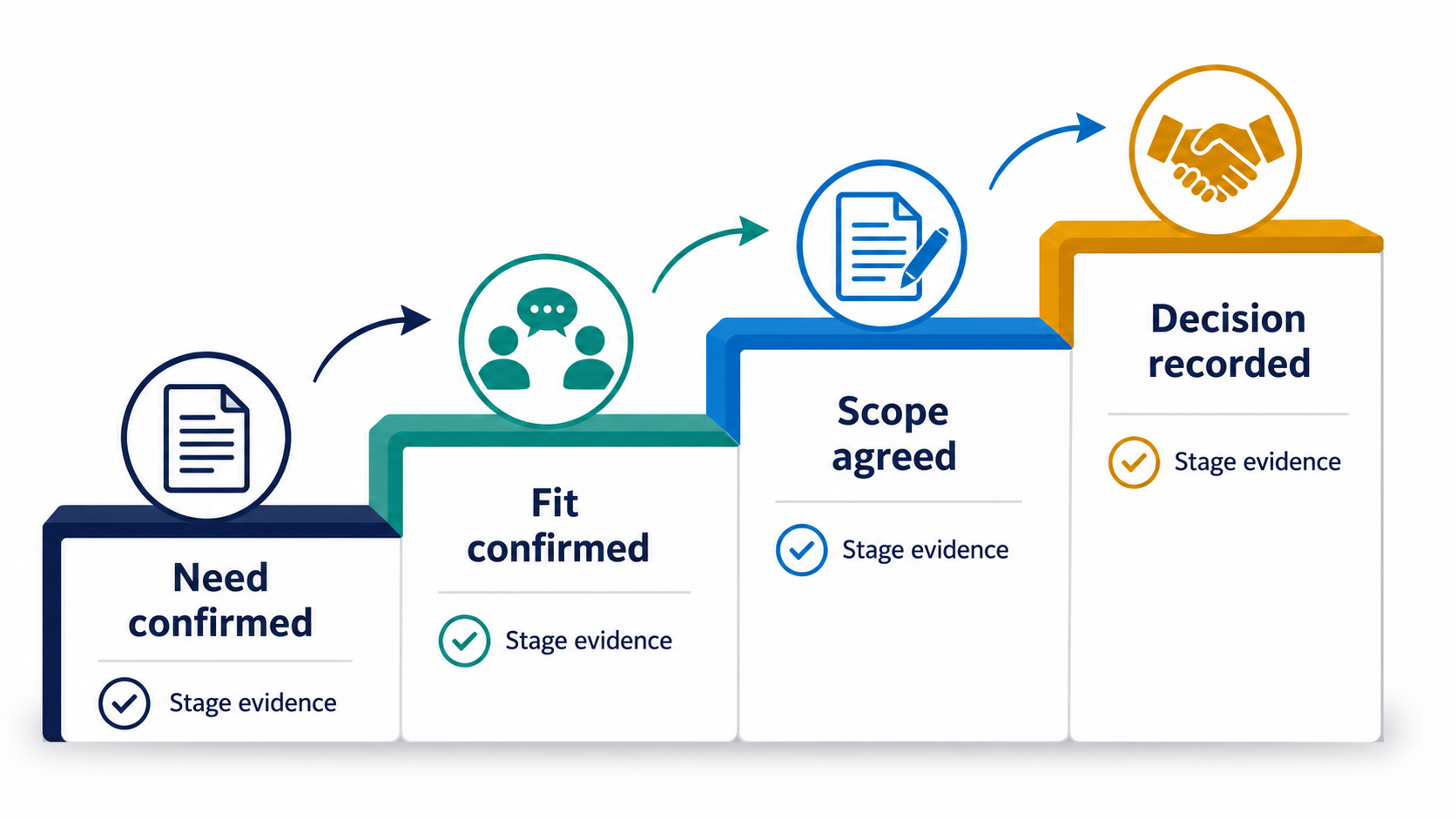
    Assign a temporary owner and record the handoff so work does not remain unowned.
    Sources

  • How to Run a Small-Team CRM Review for Small-Team Deal Evidence Review

    How to Run a Small-Team CRM Review for Small-Team Deal Evidence Review

    A small-team CRM review should make the next decision visible. For small-team deal evidence review, record the owner, the current evidence, and one dated next action instead of adding fields that nobody reviews.

    Outcome and scope

    This playbook is for a 5-to-50-person sales team reviewing open work. It improves visibility and handoffs; it does not predict revenue or guarantee a customer response.

    Workflow map

    1. Prepare: filter records that need a decision.
    2. Read: check the latest meaningful activity and customer evidence.
    3. Decide: progress, reschedule, follow up once, or close with a reason.
    4. Assign: give the next action one owner and a due date.

    Setup steps

    1. Define the decision represented by each stage.
    2. Make owner, stage, last activity, next action, and due date visible.
    3. Use one standard format for close reasons and review dates.
    4. Keep exceptions as notes rather than silently changing history.

    Example fields or pipeline table

    Item Example Review question
    Owner Named teammate Is accountability unambiguous?
    Current evidence Last customer-facing action What fact supports the stage?
    Next action One concrete action by Friday Can one person complete it?
    Review outcome Keep, move, reschedule, or close What decision was made?

    Failure modes

    • Using a forecast number as a substitute for evidence.
    • Leaving an opportunity assigned but without an accepted next action.
    • Changing stages because time passed rather than because evidence changed.
    • Deleting old activity instead of preserving context.

    Metrics to review

    Review open records without a dated next action, overdue actions, stage aging, response time, and close reasons. Keep process measures separate from revenue assumptions.

    FAQ

    How many fields are enough?

    Start with owner, stage, last meaningful activity, next action, and due date. Add a field only when it changes a decision.

    Should every stale record be closed?

    No. Check the customer’s stated timing and record a reason before closing or rescheduling.

    What if the owner is absent?

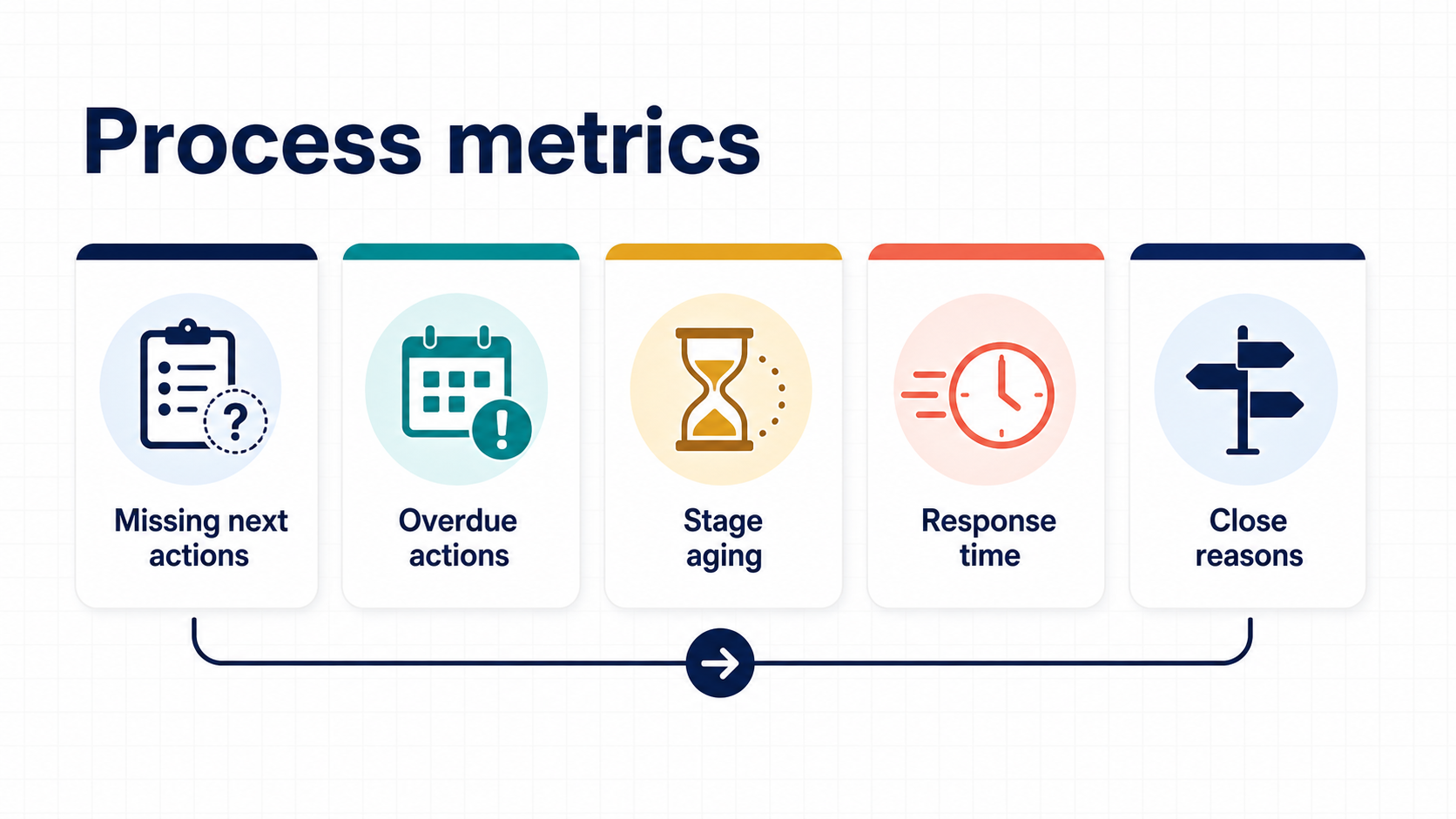
    Assign a temporary owner and record the handoff so work does not remain unowned.
    Sources

  • How to Build a Small-Team Sales Pipeline That Keeps Next Actions Visible

    Small sales team reviewing a simple pipeline board

    A small-team pipeline is useful only when each open deal has an owner, evidence for its current stage, and one dated next action. Start with the operating workflow, then configure the CRM around the decisions the team must make.

    Outcome and scope

    The goal is shared visibility without turning the CRM into a second spreadsheet. Use a small set of stages for new-business opportunities and keep post-sale delivery in the system that owns delivery.

    Workflow map

    Small-team sales pipeline
    1. Capture: record the source, company, contact, and reason for contact.
    2. Qualify: confirm problem, fit, timing, and decision process.
    3. Advance: move only when the next evidence exists.
    4. Review: assign one owner, one action, and one due date.
    5. Close: record won, lost, delayed, or no-decision with a factual reason.

    Example fields and stage criteria

    Next-action ownership
    Field Example Review question
    Owner Named teammate Is accountability unambiguous?
    Current evidence Last customer-facing action Why is the deal in this stage?
    Next action Send scope draft by Friday Can one person complete it?
    Decision date Date tied to a customer event Is the date evidence-based?
    Close reason Won, budget, timing, fit, or no decision Can the team learn from it?

    Setup steps

    Pipeline fields checklist
    1. Write entry and exit criteria in plain language.
    2. Create only fields that affect qualification, handoff, forecasting, or review.
    3. Make owner, last activity, next action, and due date visible in every view.
    4. Test reminders and stage rules with dummy deals before rollout.
    5. Review stale, duplicated, or ownerless records each week.

    For the next review routine, see our stale-deal cleanup workflow and weekly pipeline risk review.

    Failure modes and metrics

    Weekly pipeline cleanup
    • Too many stages hide the absence of a decision.
    • Probability becomes a substitute for customer evidence.
    • Activities are logged without an owner or due date.
    • Closed-lost reasons are free text and cannot be reviewed.

    Review open deals without a next action, overdue actions, stage aging, response time, adjacent-stage movement, and close reasons. These are process measures, not revenue guarantees.

    FAQ

    Evidence-based stage review
    How many stages should a small team use?

    Use the fewest stages that represent different decisions. Combine stages that require the same evidence and action.

    Should every opportunity have a probability?

    Only when the team has a defined method for setting and reviewing it. Otherwise the number creates false precision.

    When should a deal be closed?

    Close it when the agreed window ends or the customer explicitly ends the process, and keep the reason.

    Sources

    Process metrics review
  • How to Run a Small-Team CRM Review for Sales Meeting Preparation

    How to Run a Small-Team CRM Review for Sales Meeting Preparation

    A small-team CRM review should make the next decision visible. For sales meeting preparation, record the owner, the current evidence, and one dated next action instead of adding fields that nobody reviews.

    Outcome and scope

    This playbook is for a 5-to-50-person sales team reviewing open work. It improves visibility and handoffs; it does not predict revenue or guarantee a customer response.

    Workflow map

    1. Prepare: filter records that need a decision.
    2. Read: check the latest meaningful activity and customer evidence.
    3. Decide: progress, reschedule, follow up once, or close with a reason.
    4. Assign: give the next action one owner and a due date.

    Setup steps

    1. Define the decision represented by each stage.
    2. Make owner, stage, last activity, next action, and due date visible.
    3. Use one standard format for close reasons and review dates.
    4. Keep exceptions as notes rather than silently changing history.

    Example fields or pipeline table

    Item Example Review question
    Owner Named teammate Is accountability unambiguous?
    Current evidence Last customer-facing action What fact supports the stage?
    Next action One concrete action by Friday Can one person complete it?
    Review outcome Keep, move, reschedule, or close What decision was made?

    Failure modes

    • Using a forecast number as a substitute for evidence.
    • Leaving an opportunity assigned but without an accepted next action.
    • Changing stages because time passed rather than because evidence changed.
    • Deleting old activity instead of preserving context.

    Metrics to review

    Review open records without a dated next action, overdue actions, stage aging, response time, and close reasons. Keep process measures separate from revenue assumptions.

    FAQ

    How many fields are enough?

    Start with owner, stage, last meaningful activity, next action, and due date. Add a field only when it changes a decision.

    Should every stale record be closed?

    No. Check the customer’s stated timing and record a reason before closing or rescheduling.

    What if the owner is absent?

    Assign a temporary owner and record the handoff so work does not remain unowned.

    Sources

  • How to Run a Small-Team CRM Review for Weekly Pipeline Risk Review

    A small-team CRM review should make the next decision visible. For weekly pipeline risk review, record the owner, the current evidence, and one dated next action instead of adding fields that nobody reviews.

    Outcome and scope

    This playbook is for a 5-to-50-person sales team reviewing open work. It improves visibility and handoffs; it does not predict revenue or guarantee a customer response.

    Workflow map

    1. Prepare: filter records that need a decision.
    2. Read: check the latest meaningful activity and customer evidence.
    3. Decide: progress, reschedule, follow up once, or close with a reason.
    4. Assign: give the next action one owner and a due date.

    Setup steps

    1. Define the decision represented by each stage.
    2. Make owner, stage, last activity, next action, and due date visible.
    3. Use one standard format for close reasons and review dates.
    4. Keep exceptions as notes rather than silently changing history.

    Example fields or pipeline table

    Item Example Review question
    Owner Named teammate Is accountability unambiguous?
    Current evidence Last customer-facing action What fact supports the stage?
    Next action One concrete action by Friday Can one person complete it?
    Review outcome Keep, move, reschedule, or close What decision was made?

    Failure modes

    • Using a forecast number as a substitute for evidence.
    • Leaving an opportunity assigned but without an accepted next action.
    • Changing stages because time passed rather than because evidence changed.
    • Deleting old activity instead of preserving context.

    Metrics to review

    Review open records without a dated next action, overdue actions, stage aging, response time, and close reasons. Keep process measures separate from revenue assumptions.

    FAQ

    How many fields are enough?

    Start with owner, stage, last meaningful activity, next action, and due date. Add a field only when it changes a decision.

    Should every stale record be closed?

    No. Check the customer’s stated timing and record a reason before closing or rescheduling.

    What if the owner is absent?

    Assign a temporary owner and record the handoff so work does not remain unowned.

    Sources

  • A Lead-Routing Workflow for a Small Sales Team Using a CRM

    Lead routing works when every new opportunity gets an owner, a reason for the assignment, and a dated next action. The goal is not to create a complex scoring model; it is to make the first decision visible and reviewable.

    Outcome and scope

    This workflow is for a 5-to-50-person sales team handling inbound or referred opportunities. It covers intake, qualification, assignment, and first follow-up. It does not decide whether a lead will buy or guarantee a response from a prospect.

    Workflow map

    1. Capture: record source, contact, company, request, and received time.
    2. Check: remove duplicates and confirm that the request fits the team’s scope.
    3. Assign: choose an owner using a documented rule such as territory, segment, or round robin.
    4. Accept: the owner confirms the record and sets the first next action.
    5. Review: inspect unowned, overdue, and rejected records each week.

    Setup steps

    1. Define what counts as a new lead and what evidence is required before assignment.
    2. Choose one primary routing rule and write the exceptions separately.
    3. Make owner, received date, source, qualification status, and next action visible.
    4. Set a service target as an internal operating measure, not a promise to every prospect.
    5. Create a queue for unassigned or rejected records with a named reviewer.

    The Pipedrive sales workflow guide is a product-specific reference; adapt the workflow to the team’s actual ownership and evidence rules.

    Example fields or pipeline table

    Field Example Review question
    Received time 2026-08-14 09:20 Is the queue ordered by a known fact?
    Routing rule West region, round 2 Can another person reproduce the assignment?
    Owner Named teammate Has someone accepted responsibility?
    Next action Read request and send two clarifying questions Is the action concrete and dated?
    Reject reason Duplicate or outside scope Can the team review the rule later?

    Failure modes

    • Sending every lead to the most available person without recording the rule.
    • Leaving a record assigned but not accepted.
    • Using a score as a substitute for reading the request.
    • Deleting rejected or duplicate records instead of preserving the reason.
    • Measuring speed while ignoring ownership and response quality.

    Metrics to review

    Review unassigned lead count, time to assignment, time to acceptance, overdue first actions, duplicate rate, rejection reasons, and distribution by owner or source. Keep these process measures separate from revenue outcomes so the dashboard does not imply that routing creates a sale.

    FAQ

    Should round robin be the only routing rule?

    It can be a useful default, but territory, language, product knowledge, or account ownership may justify a documented exception.

    How long should a lead stay unassigned?

    Set a team-specific review target based on volume and coverage. Escalate the queue when the target is missed rather than silently changing ownership.

    Should rejected leads be deleted?

    No. Keep a factual reject reason and retain the record according to the team’s data policy so the rule can be reviewed.

    Sources

  • A Next-Action Review Template for a Small-Team CRM

    A CRM review is useful when it answers one question for every open opportunity: what happens next, who owns it, and when will the team know whether it worked? Keep the template small enough to use every week.

    Outcome and scope

    Use this template for a weekly review of active new-business opportunities. It does not replace delivery planning, customer support, or a detailed forecast. It creates a shared minimum record for the next decision.

    Workflow map

    1. Prepare: filter open deals and missing or overdue next actions.
    2. Check: read the last customer-facing activity and current stage.
    3. Decide: keep, move, reschedule, or close.
    4. Assign: give the next action one owner and a due date.
    5. Measure: review the queue and unresolved items at the next meeting.

    Setup steps

    1. Create a view that shows owner, stage, value, last activity, next action, and due date.
    2. Use a short definition for each stage and write the evidence required to enter it.
    3. Use one standard format for dates and close reasons.
    4. Set a review cadence that matches the team’s sales cycle.
    5. Record exceptions as notes instead of silently changing the workflow.

    Use the Pipedrive pipeline-stage reference to make stage names describe decisions rather than vague optimism.

    Example fields or pipeline table

    Column Example Required answer
    Current stage Discovery complete What evidence is present?
    Last customer action Customer confirmed scope questions What changed externally?
    Next action Answer two scope questions What can be done next?
    Owner and due date Alex — 2026-08-15 Who will do it and when?

    Failure modes

    • Writing “follow up” without a channel, purpose, or date.
    • Adding fields that nobody uses in the weekly review.
    • Moving a deal forward because time passed rather than because evidence changed.
    • Using a forecast number as a substitute for a customer decision.
    • Leaving an opportunity open after its decision window ended.

    Metrics to review

    Review the share of open deals with a dated next action, overdue action count, stage aging, response time, and close reasons. Keep measured results separate from assumptions so the dashboard does not imply more certainty than the records support.

    FAQ

    What is the minimum field set?

    Owner, stage, last meaningful activity, next action, due date, and decision date are a practical starting point. Add fields only when they change a decision.

    How often should the review run?

    Weekly is a useful default for a small team. Adjust the cadence when the sales cycle is much shorter or longer, but keep a regular review point.

    What should happen when an owner is absent?

    Assign a temporary owner and record the handoff. An unowned opportunity should not remain open simply because the original owner is unavailable.

    Sources

  • How to Clean Up Stale Deals in a Small-Team Sales Pipeline

    A stale deal is not automatically a lost deal. It is an opportunity whose current evidence no longer supports the stage or next action. Review the record, preserve the history, and make one explicit decision.

    Outcome and scope

    This workflow is for small teams reviewing open opportunities once a week. It covers records with no recent activity, no dated next action, or a stage that no longer matches the customer’s stated process.

    Workflow map

    1. Find: filter open deals with an overdue or missing next action.
    2. Read: check the last activity, customer request, owner, and decision date.
    3. Choose: progress, reschedule, send one relevant follow-up, or close with a reason.
    4. Record: save the decision and the next action in the deal record.
    5. Review: compare stale counts by owner and stage next week.

    Setup steps

    1. Define the number of days after which an open record enters the review queue.
    2. Make owner, last meaningful activity, next action, and decision date visible.
    3. Use a small close-reason list that can be reported consistently.
    4. Keep the original activity history; add a review note instead of rewriting it.
    5. Set one due date after every keep-open decision.

    The Pipedrive pipeline-stage guide is useful when the team needs to define what evidence moves a deal between stages.

    Example fields or pipeline table

    Field Example Decision
    Last meaningful activity Discovery call on 2026-08-08 Is the record still active?
    Customer timing Review after September budget meeting Is the date customer-based?
    Next action Send the requested scope by Friday Can one person complete it?
    Review outcome Keep open, reschedule, or close Does the stage match the evidence?

    Failure modes

    • Changing the stage to make a dashboard look healthier.
    • Sending repeated follow-ups without a customer-relevant reason.
    • Closing a deal without recording why it stopped.
    • Using an unowned “later” stage as a permanent holding area.
    • Deleting old activity instead of preserving the context.

    Metrics to review

    Track open deals with overdue next actions, stale rate by stage, median days since meaningful activity, rescheduled deals, and close reasons. The purpose is to improve visibility and decisions, not to reward a lower count by closing records without evidence.

    FAQ

    Should every stale deal be closed?

    No. First check the customer’s stated timing and the quality of the next action. Close only when the process ended or the team has a documented reason to stop.

    Is a short email enough to refresh a deal?

    Only when it is relevant and creates a real next step. A logged activity without a customer response does not prove that the opportunity advanced.

    Should the old stage be changed during review?

    Change it when the current evidence supports a new stage. Keep a note that explains the decision so the record remains understandable.

    Sources